Skip to content
Forta Pay

NewDanish collection with Betalingsservice

Get paid. Skip the hassle.

Send the invoice, and Forta Pay does the rest. Invoices, payments and reminders in one calm overview. The money goes from your customers straight to your account. Forta Pay never touches it.

Already a customer? Log in →

  • No lock-in
  • You approve every reminder
  • No cookies on this site

In partnership with:

  • Betalingsservice
app.fortapay.dk/kreditor
The creditor's overview in Forta Pay: outstanding, invoices in the reminder flow and today's payments. Sandbox with made-up data.
The debtor's page on a phone with amount, invoice and ways to pay.
Registered data supplier to Betalingsservice Betalingsservice · FI payment slips Part of Torp IT

Partners and connections

Known payment routes, clear roles

BetalingsserviceTorp IT is registered as a data supplier to Betalingsservice and can submit data on behalf of a business.
Nets (Nexi)Brokering of payment solutions, including acquiring, terminals, POS systems and online payments.
e-conomicInvoices are fetched, and payments are booked in your accounts.
Vipps MobilePayTorp IT is an approved platform partner of Vipps MobilePay for recurring MobilePay payments.

Forta Pay never holds your money: the payment goes straight from the payment partner to your account.

DKK 0of your money passes through Forta Pay. The payment goes straight to your account.
100 %of reminder fees and interest go to you. You are the sender.
DKK 0.50per paid invoice in Drift. Only what gets paid counts.
−10%on the fixed price when you pay a year in advance.

How it works

From invoice to payment, without the money passing through us

Forta Pay sits between your accounts and your customers' payments. You keep your own agreements with the payment partners.

  1. Connect your accounts

    Invoices are fetched from your accounting system, or you send them through the API. Nothing is typed twice.

  2. More ways for your customers to pay

    Betalingsservice or a payment slip, through the invoice and the payment link in the email.

  3. The money lands with you

    Straight from the payment partner to your account. The payment is booked in your accounts, and you see the status right away.

  4. Reminders only when needed

    The reminder tool suggests the next step. It is activated together with you after a dry run, and you approve every reminder and are the sender yourself.

A flow you can see

From invoice to paid, and the reminders stop by themselves

The reminder plan follows the Danish Interest Act and is set up together with Forta Pay. You approve every letter. Reminders are activated after a dry run.

  1. Day 0 · due date

    Invoice

    Sent with a payment link by email. Betalingsservice collects by itself.

  2. +5 days

    Reminder

    Friendly and free of charge. You are the sender.

  3. +10 days

    Dunning letter

    Fee and interest under the Danish Interest Act. The fee is yours.

  4. When the customer pays

    Paid

    The flow stops at once. The payment is booked in your accounts.

Paid is paid. Once the payment is registered in Forta Pay, no reminder goes out, even while it is still unposted in your cash journal.

Why Forta Pay

Five reasons to choose Forta Pay

No reminder on a paid invoice

The reminder sees the payment, not the bookkeeping. Once the payment is registered in Forta Pay, no reminder goes out, even while it is still unposted in your cash journal.

No awkward reminders to customers who have paid.
Switch from your current system, shadow first

Forta Pay runs in shadow next to your current solution and shows what it would have done. In shadow mode Forta Pay sends no collections. You switch when the numbers match.

Every payment in one place

Betalingsservice, payment slips and bank transfer. You see every payment in the same list, however the customer paid.

Four eyes on what costs money

Refunds and write-offs can require another user to approve before they run.

API and sandbox

A documented REST API with webhooks and a sandbox with its own clock, so you can run a whole reminder flow in a few minutes.

Integrations

What Forta Pay talks to

Your accounts on one side, your customers' payments on the other.

Accounting and CRM

Connection to e-conomic: invoices are fetched and payments are booked there.

  • e-conomicInvoices, customers and payments.
  • Forta CRMInvoices, agreements and payment status through the API and webhooks.

Payment and delivery

What your customers pay with, and the ways the invoice reaches them.

  • BetalingsserviceRegistered data supplier to Betalingsservice.
  • FI payment slipsPayment slip on the invoice and in the debtor portal.
  • EmailInvoice and payment link, with a delivery receipt.

The product

What you see when you log in

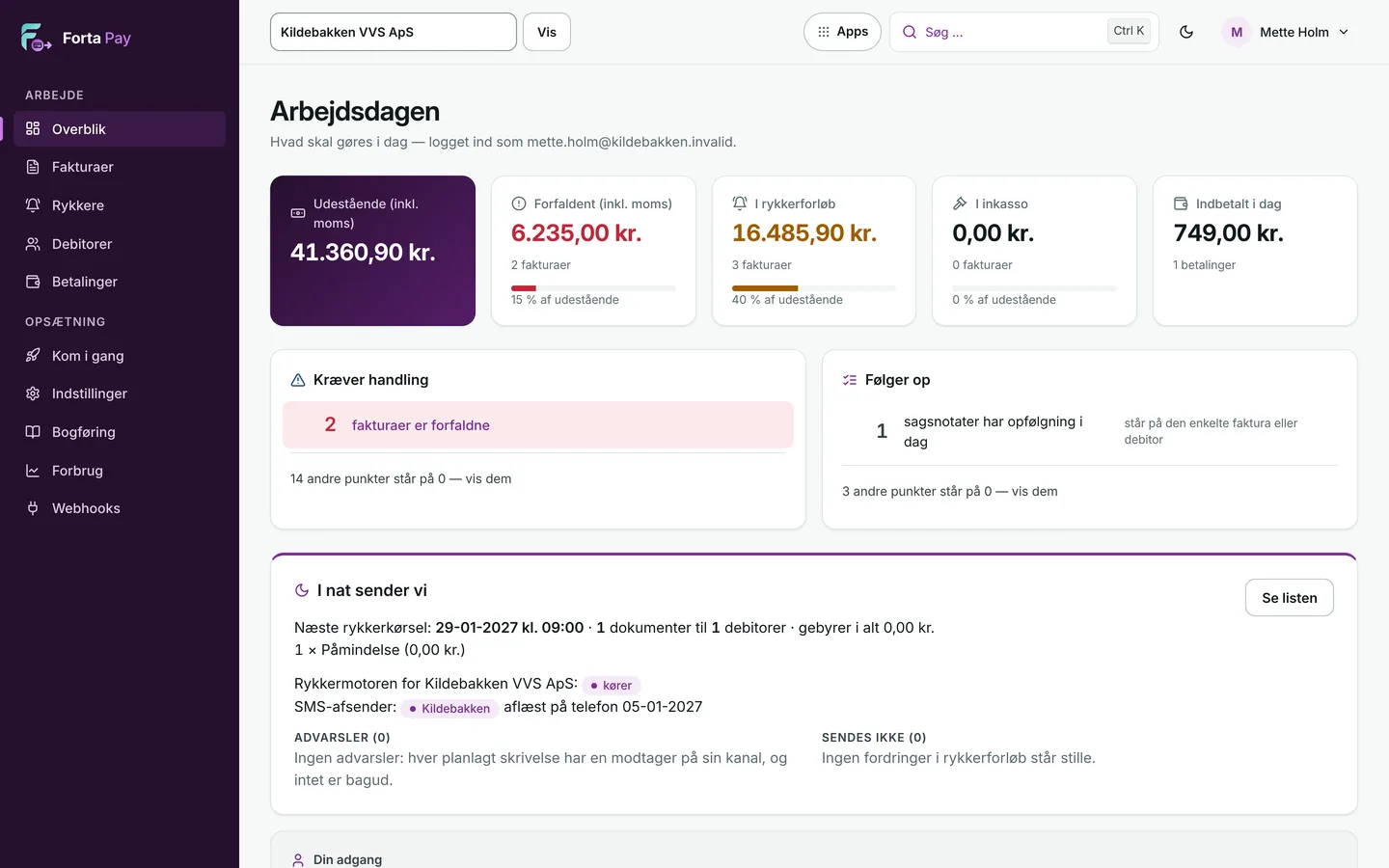
Real screens from Forta Pay. The data is made up and taken in the sandbox. The purple close-up enlarges what matters.

The working day on one screen

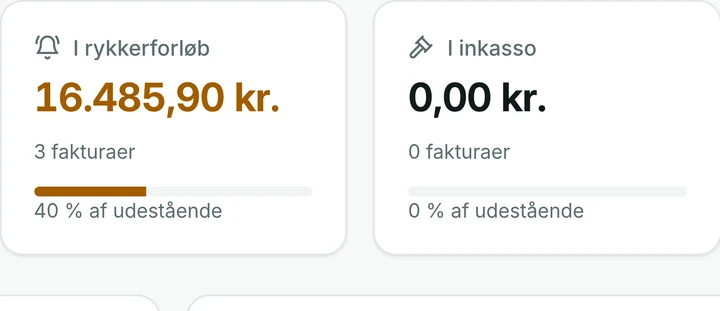
What is outstanding, what is in the reminder flow, and what came in today.

  • Outstanding, overdue and received today
  • «Tonight we send»: see the list before anything goes out
app.fortapay.dk/kreditor
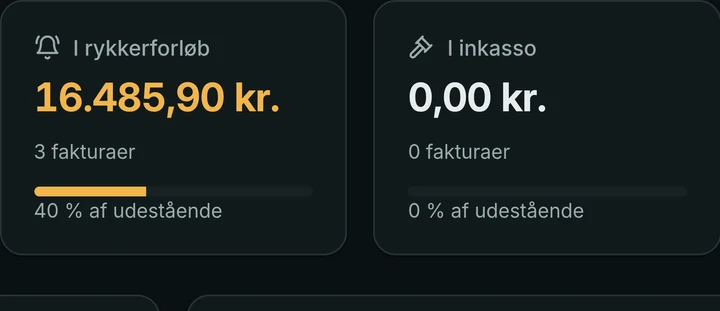
The overview with key figures and tonight's reminder run.The overview in dark mode.

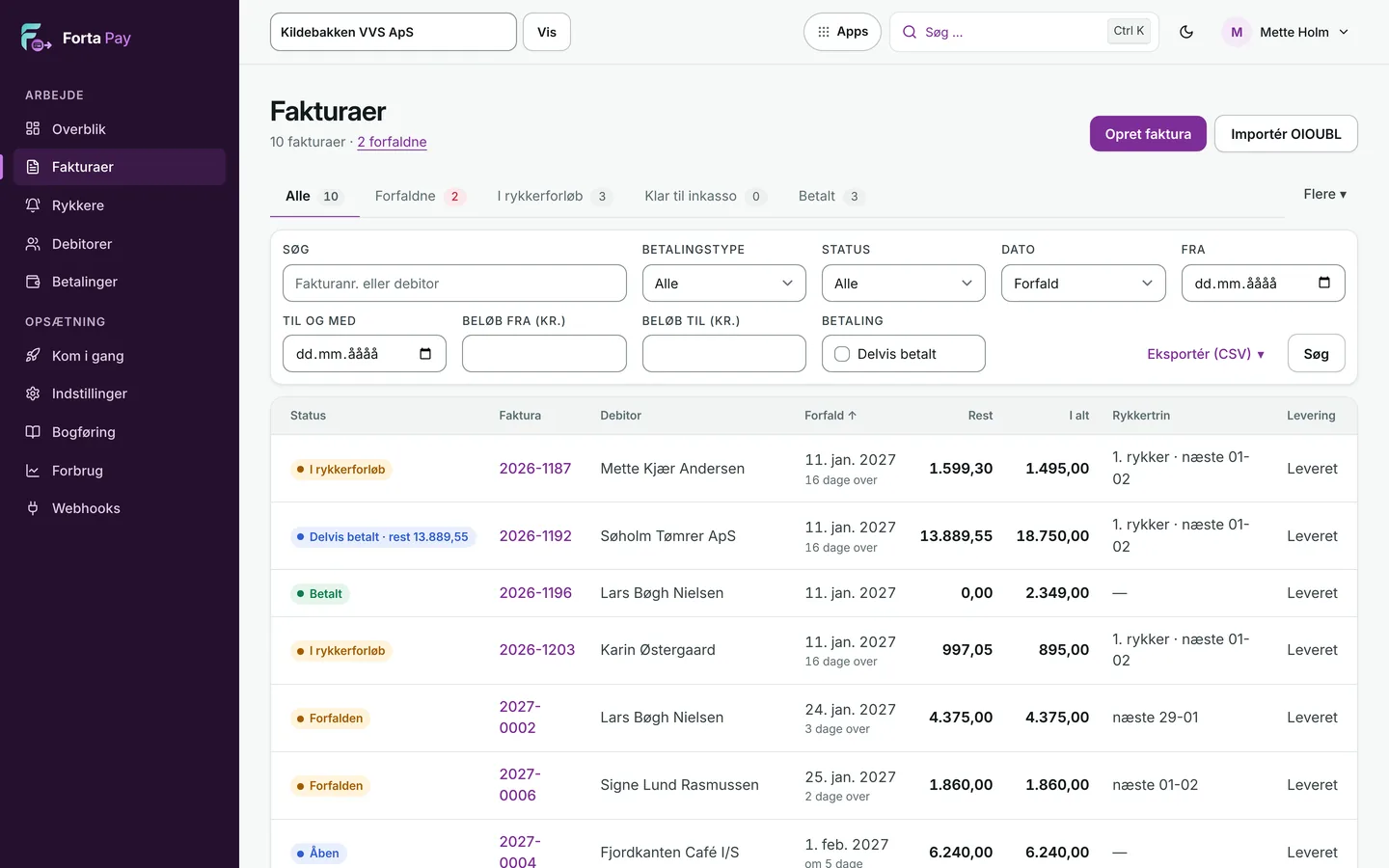
Every invoice in one list

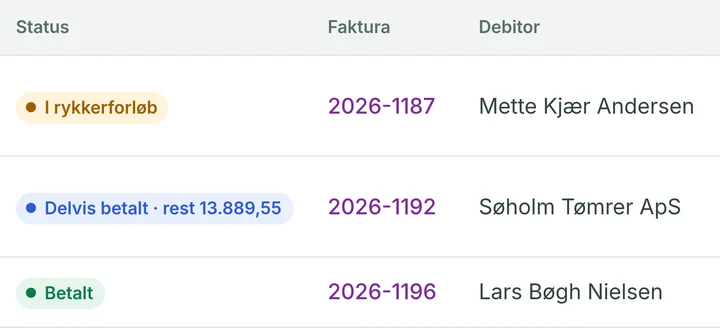
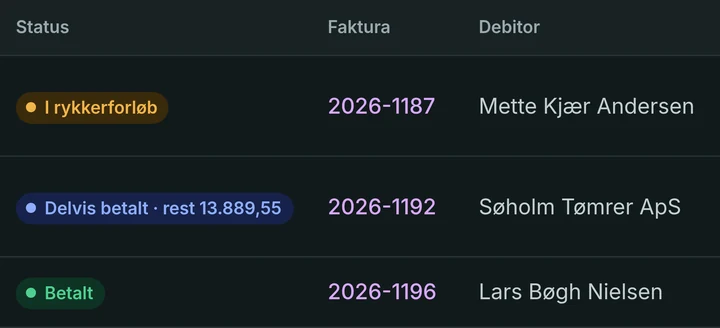
Status, due date and balance on every row. Green means paid, and only that.

  • Filter on status, date, amount and debtor
  • Partial payments are shown as what they are
app.fortapay.dk/kreditor/fakturaer
The invoice list with status, due date and balance for every invoice.The invoice list in dark mode.

The invoice's whole history

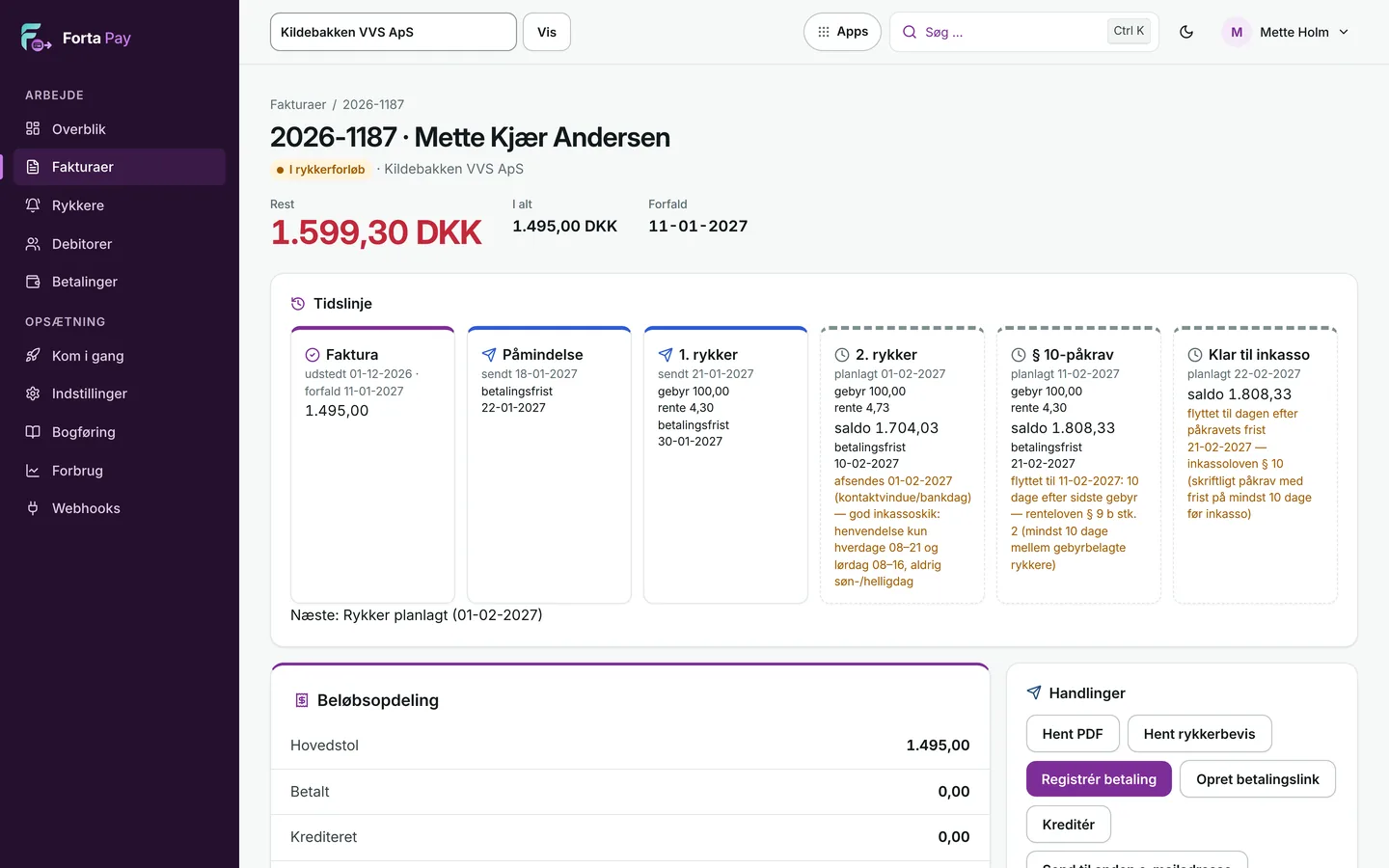
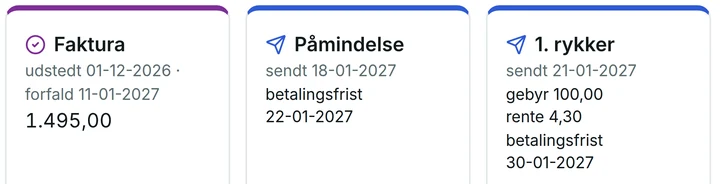
From invoice through reminder and dunning letters to the § 10 notice, with deadlines, fee and interest worked out for you.

  • The next step is shown with a date before it happens
  • Fees and interest by the law
app.fortapay.dk/kreditor/fakturaer/2026-1187
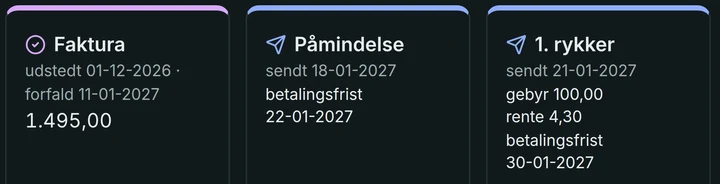
An invoice with a timeline from sending through reminder and dunning letters to the § 10 notice.The invoice timeline in dark mode.

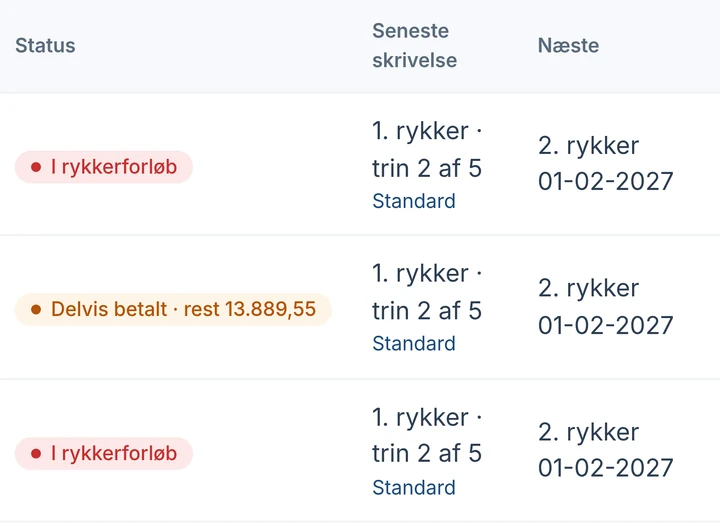
Reminders, gathered in one place

Where each invoice stands in the flow, what happens next, and when. Nothing goes out until you have approved it.

  • You are the sender. Fees and interest go to you
app.fortapay.dk/kreditor/rykkere
The reminder overview with status, latest letter and next step for every invoice.

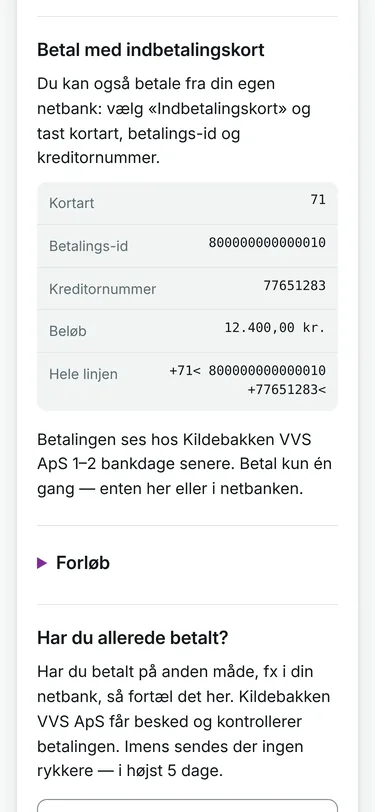
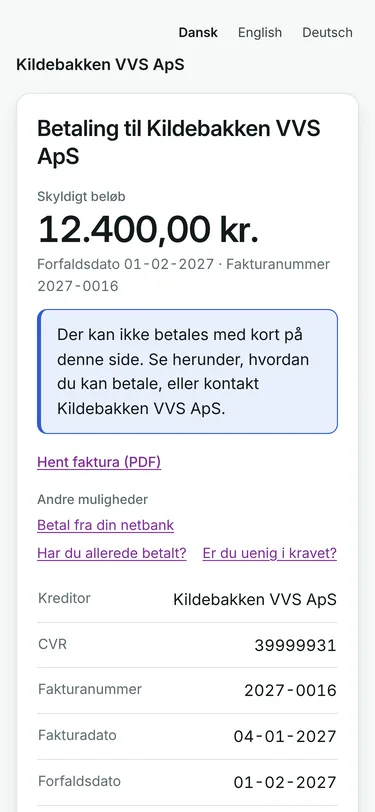
Your customer pays from their phone

The payment link opens a simple page with your name at the top. The customer sees the amount, the invoice and how to pay.

  • No app and no login. In Danish, English and German
  • «I have paid» and «I disagree»: the reminders wait until you have answered
The debtor's page on a phone.
The payment slip on the debtor's page: card type, payment ID and creditor number.

Switch from your current system

See it work before you switch

You do not have to trust us blindly: we run in shadow until you have seen the numbers. Betalingsservice mandates can normally be carried over through an approved change of data supplier. We clarify the conditions for your agreement.

  1. 1 · ShadowForta Pay reads your invoices and works out what it would have done. In shadow mode Forta Pay sends no collections. Your current solution continues under your agreements.
  2. 2 · CompareYou see, invoice by invoice, whether Forta Pay and your current solution agree. Differences are shown and looked into together with you.
  3. 3 · Switch in stagesFirst a small group of customers, then the rest. Betalingsservice follows the data supplier switch.
Talk to us about your switch

Pricing

Pay for what gets paid

One fixed monthly price and a small amount per paid invoice. No lock-in.

Start

DKK 399/month

+ DKK 0.75 per paid invoice

Betalingsservice, debtor page, API and webhooks.

Drift With reminders

DKK 799/month

+ DKK 0.50 per paid invoice

Everything in Start plus the reminder tool, activated together with you after a dry run. Fees and interest go to you.

Unlimited users

All prices exclude VAT. The payment partners' fees come on top. Payment after a reminder or debt collection does not count. Calculate your price

Torp ITTorp IT

Behind Forta Pay

Forta Pay is part of Torp IT

Forta Pay is developed and operated by Torp IT ApS, a Danish IT company in Ringsted. Torp IT runs Forta Pay itself in shadow mode alongside its current solution, so we use what we sell.

Visit torpit.dk →

Contact

How do you collect payments today?

Tell us about your accounting system, your payment methods and your number of invoices. We will show you Forta Pay on your own numbers and give you access to the sandbox.

+45 59 16 18 02kontakt@torpit.dk